
Download Remove Cookie for Site – remove cookie, Firefox extension, cookie management, web developer tool, site-specific cookies
Overview
Remove Cookie for Site is a lightweight Firefox extension designed to streamline cookie management for users who require precision and efficiency. The app enables the deletion of all cookies associated with the currently active webpage, ensuring that unrelated browsing data remains untouched. This targeted approach makes it particularly valuable for web developers who frequently test and debug site functionality, where residual cookies can interfere with accurate results. By offering a focused solution, the extension helps users reset a site’s state without disrupting their broader browsing experience.
The tool is especially useful in real-world scenarios such as testing login sessions, verifying session handling, or clearing cached preferences during development cycles. Its simplicity and direct functionality make it accessible to both technical and non-technical users, though its primary audience remains developers and advanced users who prioritize control over their browsing environment. The extension operates within the Firefox browser ecosystem, providing a seamless integration that enhances workflow efficiency without adding complexity.
Developed by Joe C. Jones, the extension has been available since 2008, indicating a long-standing presence in the developer tools space. Although the developer did not provide additional technical details about updates or future plans, its continued availability suggests reliability and stability over time. The app serves as a niche yet essential utility in the productivity category, filling a specific gap in browser-based cookie management tools.
Key Features & Functionality
- Targeted Cookie Removal: The extension allows users to delete only the cookies tied to the current webpage, preventing unintended side effects on other sites.
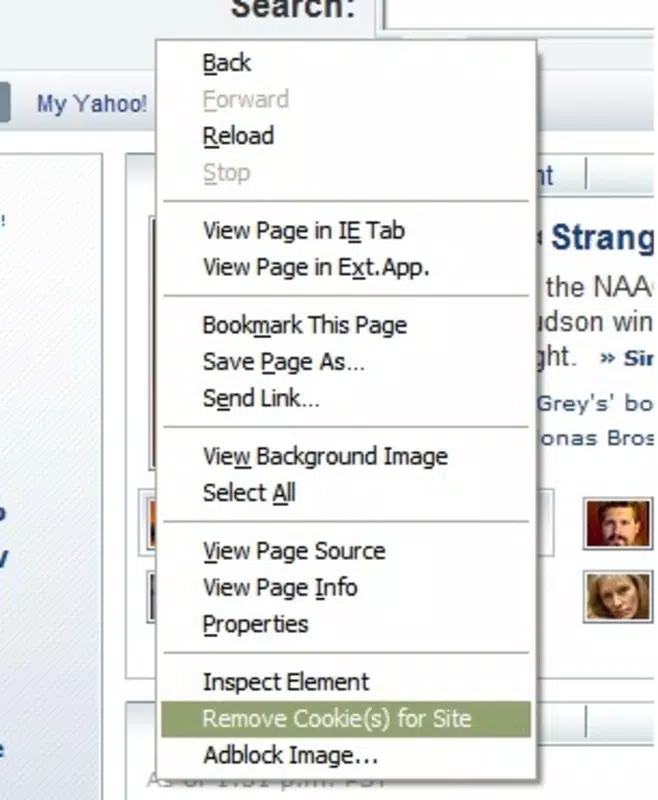
- Context Menu Integration: A simple right-click option in Firefox enables instant access to cookie deletion, minimizing workflow disruption.
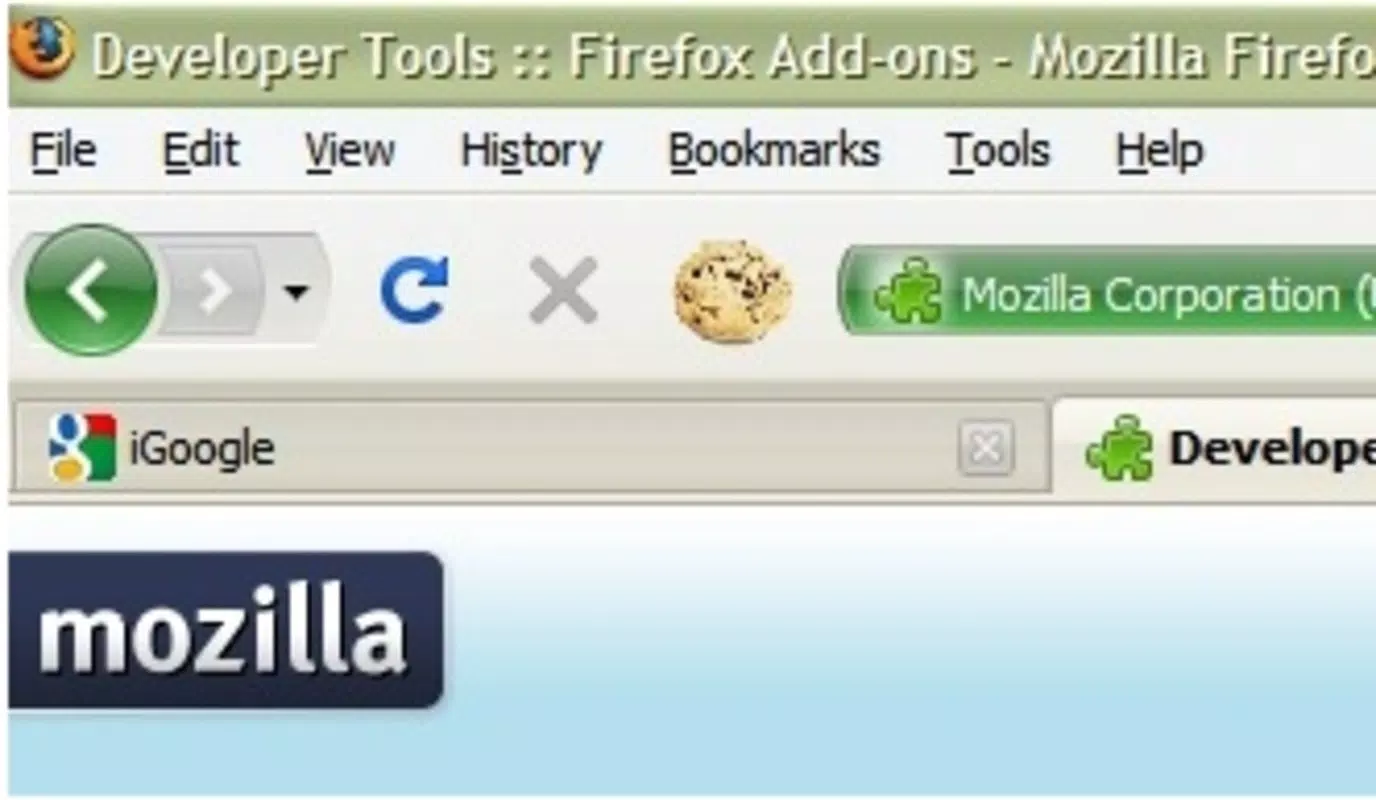
- Real-Time Status Feedback: A status bar indicator displays the number of cookies removed, providing immediate visual confirmation of actions taken.
- Developer-Centric Design: Built with web developers in mind, it supports rapid testing and debugging by enabling quick session resets.
- Non-Intrusive Operation: The extension does not alter browser settings or require configuration, ensuring a frictionless user experience.
For example, a developer testing a login flow can use the extension to clear all cookies from a specific site after each test, ensuring consistent results. Similarly, a user troubleshooting a site’s behavior can reset session data without logging out manually. These use cases demonstrate how the tool enhances both productivity and accuracy in real-world scenarios.
Interface, UX & Performance
Remove Cookie for Site features a minimal interface that aligns with Firefox’s design language, ensuring consistency and ease of use. The absence of complex menus or settings reflects its focus on simplicity and speed. Users interact with the extension through a single context menu option, which reduces cognitive load and streamlines access.
Navigating the app requires no learning curve—right-clicking on any webpage triggers the cookie deletion function. The status bar indicator provides subtle yet effective feedback, enhancing user confidence in the action’s completion. Although the developer did not list formal performance metrics, the extension’s small file size of 23KB suggests efficient resource usage and low impact on browser performance.
Compatibility with various device categories is not explicitly detailed, but the extension’s lightweight nature implies stable operation across different hardware configurations. Responsiveness is likely optimized, given its single-purpose functionality. Stability appears high, supported by its long-term availability since 2008. No reported issues related to crashes or conflicts were found in the provided information.
Platform Compatibility & Technical Requirements
Remove Cookie for Site is designed exclusively for the Firefox browser, ensuring compatibility with all versions that support extensions. The app has a file size of 23KB, making it quick to download and install without consuming significant storage space. It is available as a free tool, with no cost associated with installation or use.
The developer did not specify minimum OS requirements or version compatibility details beyond the platform. As such, users should verify compatibility with their Firefox version before installation. No additional technical specifications were provided, and no dependencies were listed. The extension is not available on other platforms such as Android or iOS, limiting its reach to Firefox users only.
Pros and Cons
- Lightweight and fast to install (23KB)
- Simple, intuitive interface with minimal user effort
- Specific cookie deletion prevents interference with other sites
- Real-time feedback via status bar indicator
- Free to use with no hidden costs
- Only available for Firefox, not cross-platform
- No official update frequency or changelog provided
- Limited to cookie management—no additional features
- Developer information is minimal
- Not available on mobile devices
FAQ
Is Remove Cookie for Site safe to use?
The extension is designed to only remove cookies from the current site and does not access or transmit user data. Its open-source nature and long history suggest a secure implementation, though users should always verify the source before installation.
Can I use this extension on mobile browsers?
No, the app is specifically built for Firefox on desktop platforms and is not available for Android or iOS browsers.
Does Remove Cookie for Site affect all cookies on my browser?
No. It only targets cookies associated with the active webpage, leaving cookies from other sites unaffected.
How do I install Remove Cookie for Site?
You can install it directly from the Firefox Add-ons website. Search for "Remove Cookie for Site," click "Add to Firefox," and confirm the installation.
Is the extension updated regularly?
The developer did not provide information about update frequency. However, its continued availability since 2008 indicates ongoing support.
Final Thoughts
Remove Cookie for Site stands out as a focused, reliable tool for users who need precise control over site-specific cookies. Its minimalist design, real-time feedback, and seamless integration with Firefox make it a valuable asset for web developers and advanced users. While it lacks advanced features or mobile support, its core functionality is executed with clarity and efficiency.
For anyone working with web applications or troubleshooting browser behavior, this extension offers a quick, secure, and effective way to reset session data. Its free status and minimal footprint further enhance its appeal. Despite its age, it remains relevant due to its niche utility and dependable performance.
Download Remove Cookie for Site now


